 squirrelworks

Deploying a modern Content Management System at scale requires moving past standard bare-metal or shared hosting models. This architectural case study documents the end-to-end initialization of an decoupled Drupal 10 Production Stack orchestrated inside a private, high-availability RKE2 Kubernetes cluster. By separating the stateless application engine from containerized stateful database layers, the deployment achieves true enterprise elasticity, predictable performance limits, and fully automated discoverability workflows.
The foundation of the environment relies on a multi-container architecture running within an RKE2 Kubernetes cluster orchestrated on Rocky Linux 9 nodes. Before executing any declarative manifests, access controls were engineered so the local shell could communicate with the control plane without introducing the security risks of working entirely under the root profile.
Initial execution passes failed because the local environment lacked explicit path mappings to the RKE2 cluster binaries, and raw administrative overrides were blocked by missing cluster authentication tokens. To bridge this structural gap, the target RKE2 binary directory path was permanently appended to the user profile's environment configuration file (.bashrc), and the active terminal session was immediately reloaded to commit the changes.
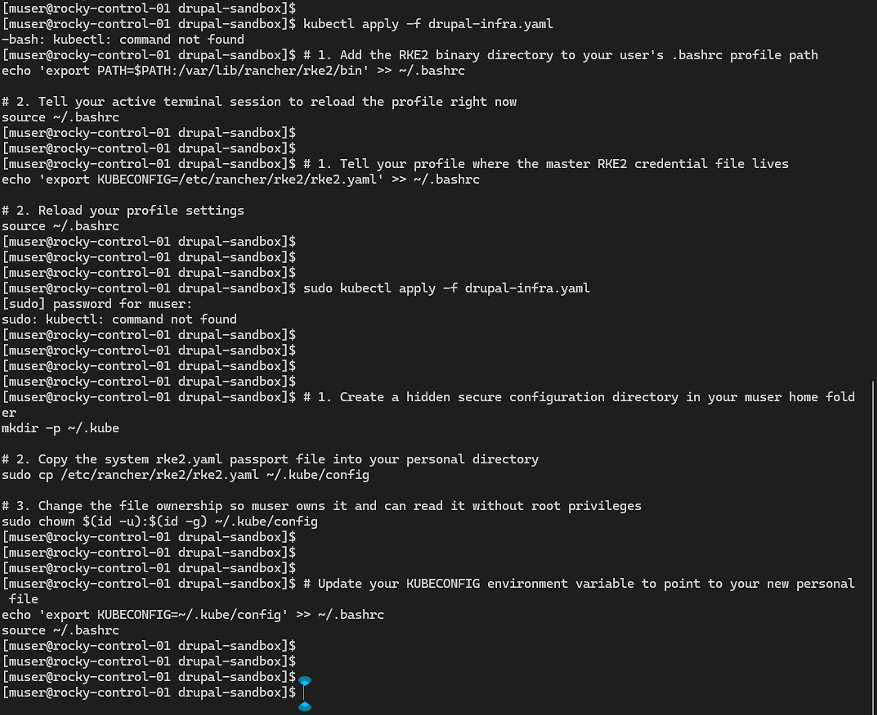
To establish isolated administrative management, a secure, hidden configuration directory (.kube) was provisioned directly within the user's local home folder. The master cluster access token configuration file (rke2.yaml) was safely copied out of the system directory and into this secure user repository. File ownership parameters were updated via the command line to grant the local muser account native read-write access. By exporting the updated KUBECONFIG environment variable to map this localized path, the terminal session successfully established access parameters, allowing the first infrastructure configuration manifest (drupal-infra.yaml) to be cleanly applied to the cluster fabric to create service/drupal-service.
DRUPAL-INFRA.YAML

---
# 1. DATABASE STORAGE DEFINITION
apiVersion: v1
kind: PersistentVolumeClaim
metadata:
  name: mysql-pvc
spec:
  accessModes:
    - ReadWriteOnce
  resources:
    requests:
      storage: 10Gi # Allocating local persistent block storage for schema isolation
---
# 2. DRUPAL ASSET STORAGE DEFINITION
apiVersion: v1
kind: PersistentVolumeClaim
metadata:
  name: drupal-pvc
spec:
  accessModes:
    - ReadWriteOnce
  resources:
    requests:
      storage: 5Gi # Persistent storage for Drupal modules, themes, and files
---
# 3. DATABASE NODE ORCHESTRATION
apiVersion: apps/v1
kind: Deployment
metadata:
  name: drupal-mysql
spec:
  replicas: 1
  selector:
    matchLabels:
      app: drupal-mysql
  template:
    metadata:
      labels:
        app: drupal-mysql
    spec:
      containers:
        - name: mysql
          image: mysql:8.0
          env:
            - name: MYSQL_ROOT_PASSWORD
              value: "abc"
            - name: MYSQL_DATABASE
              value: "drupal_enterprise_db"
            - name: MYSQL_USER
              value: "drupal-admin"
            - name: MYSQL_PASSWORD
              value: "123"
          ports:
            - containerPort: 3306
              name: mysql
          volumeMounts:
            - name: mysql-persistent-storage
              mountPath: /var/lib/mysql
      volumes:
        - name: mysql-persistent-storage
          persistentVolumeClaim:
            claimName: mysql-pvc
---
# 4. DATABASE INTERNAL ROUTING SERVICE
apiVersion: v1
kind: Service
metadata:
  name: drupal-mysql-service
spec:
  ports:
    - port: 3306
  selector:
    app: drupal-mysql
  clusterIP: None # Headless service for direct internal Pod cluster-IP mapping
---
# 5. DRUPAL APPLICATION LAYER ORCHESTRATION
apiVersion: apps/v1
kind: Deployment
metadata:
  name: drupal-app
spec:
  replicas: 1
  selector:
    matchLabels:
      app: drupal-app
  template:
    metadata:
      labels:
        app: drupal-app
    spec:
      containers:
        - name: drupal
          image: drupal:10-apache # Pre-configured with Apache web server layer
          ports:
            - containerPort: 80
              name: http
          volumeMounts:
            - name: drupal-persistent-storage
              mountPath: /var/www/html/modules
              subPath: modules
            - name: drupal-persistent-storage
              mountPath: /var/www/html/themes
              subPath: themes
            - name: drupal-persistent-storage
              mountPath: /var/www/html/sites
              subPath: sites
      volumes:
        - name: drupal-persistent-storage
          persistentVolumeClaim:
            claimName: drupal-pvc
---
# 6. DRUPAL EXTERNAL NETWORKING SERVICE
apiVersion: v1
kind: Service
metadata:
  name: drupal-service
spec:
  type: NodePort # Exposes the container to your local LAN network interface
  ports:
    - port: 80
      targetPort: 80
      nodePort: 30080 # This exposes Drupal externally on port 30080 of your node IPs
  selector:
app: drupal-appdrupal-infra.yaml) is applied to the cluster fabric to create service/drupal-service.
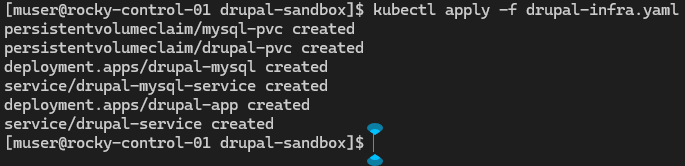
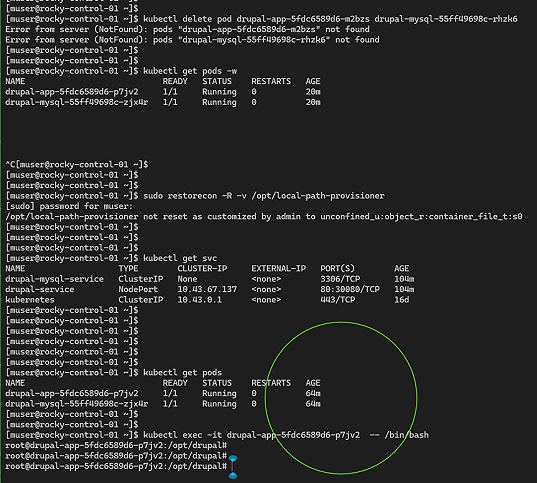
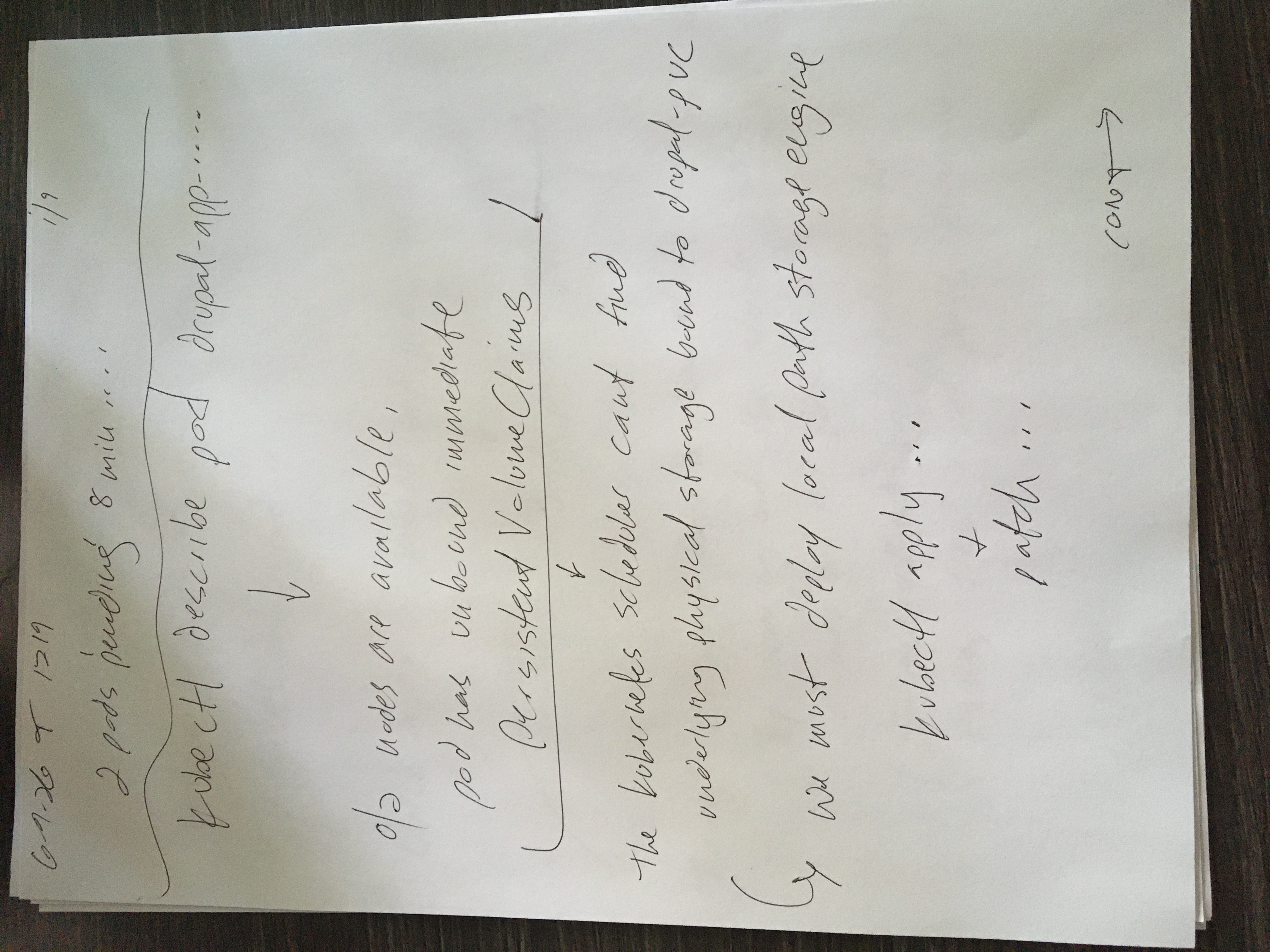
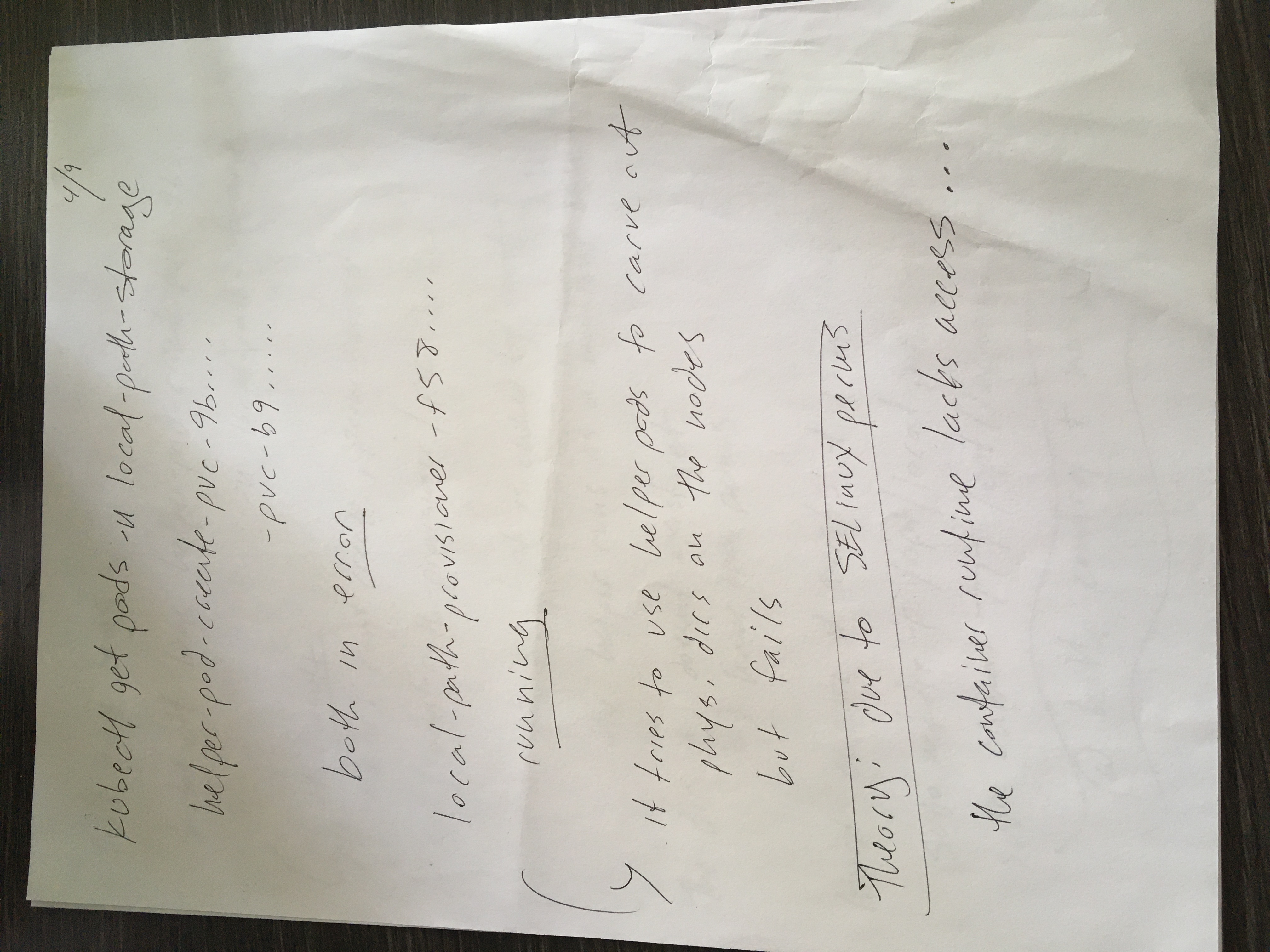
While the declarative network services initialized successfully, tracking the real-time status of the environment revealed a critical runtime roadblock. Running a standard cluster resource check showed both the Drupal application and MySQL database pods locked in an unready, Pending state for over thirteen minutes, indicating a fundamental infrastructure bottleneck.
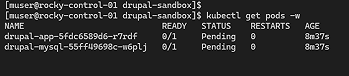
To isolate the failure, the watch loop was terminated to run deep cluster diagnostics. The scheduling logs for the stalled workloads were inspected by executing kubectl describe pod. Reviewing the core events engine at the base of the output exposed the direct architectural constraint: the cluster entirely lacked an active persistent storage provider to satisfy the applications' data requirements, throwing warnings that no persistent volumes were available and no default storage class was set.
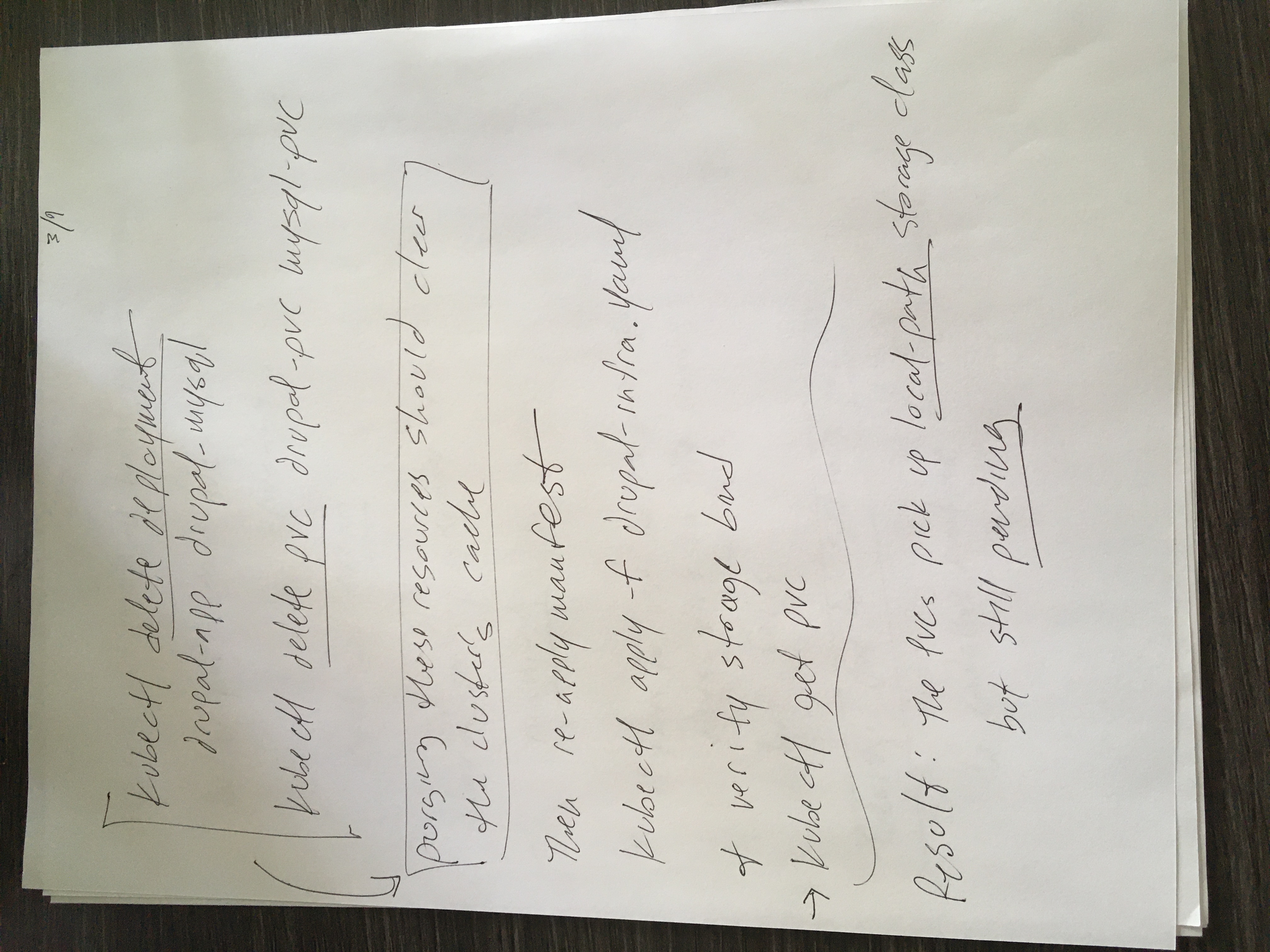
To resolve this resource omission, Rancher's official lightweight local path provisioner manifest was ingested into the control plane by executing kubectl apply -f https://raw.githubusercontent.com/rancher/local-path-provisioner/v0.0.30/deploy/local-path-storage.yaml, dynamically generating the local-path-storage namespace, service accounts, and core deployment tracking pods. To ensure the cluster automatically routed all volume requests through this framework, the storage class environment was explicitly modified using:
kubectl patch storageclass local-path -p '{"metadata": {"annotations":{"storageclass.kubernetes.io/is-default-class":"true"}}}'
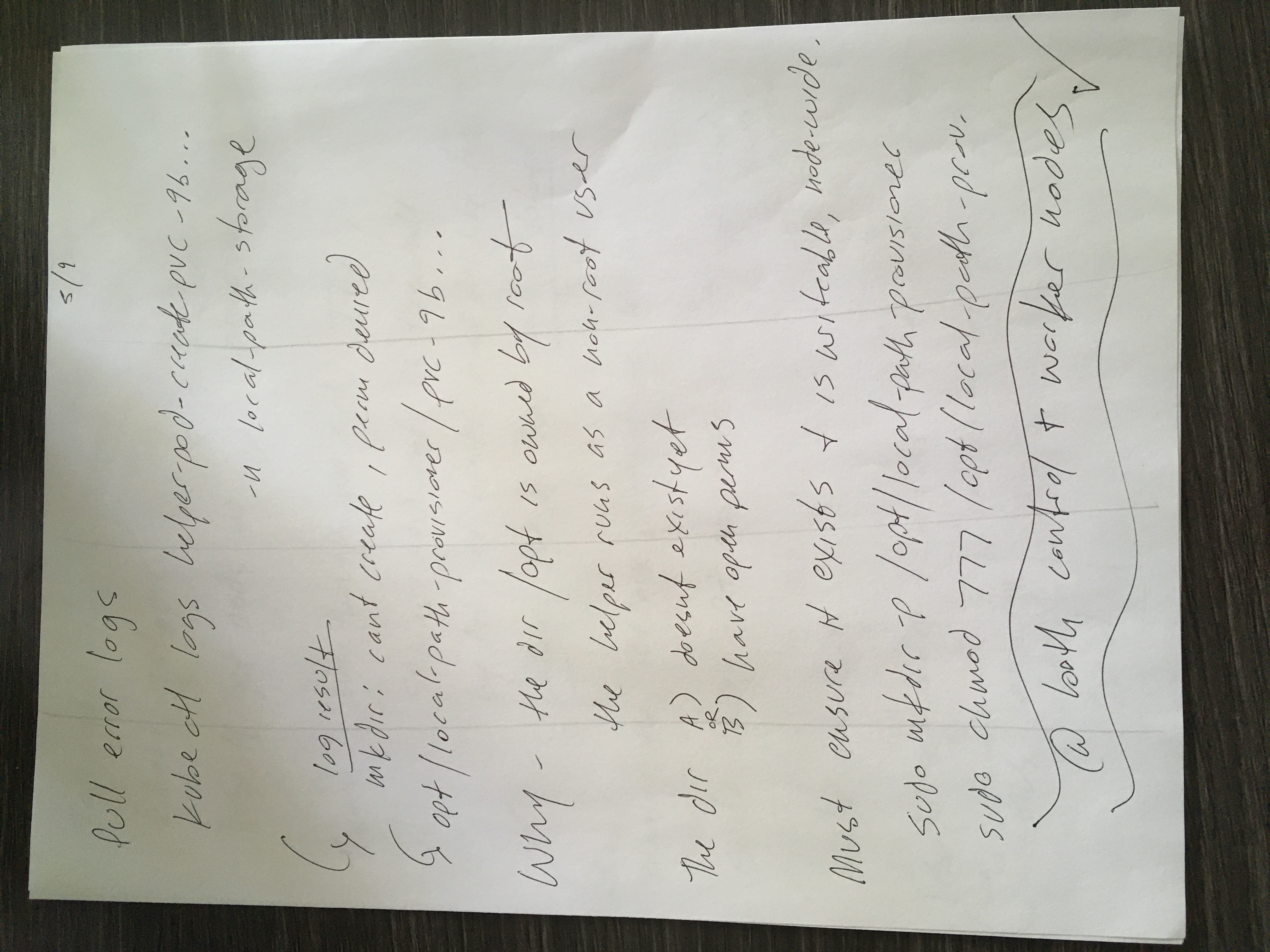
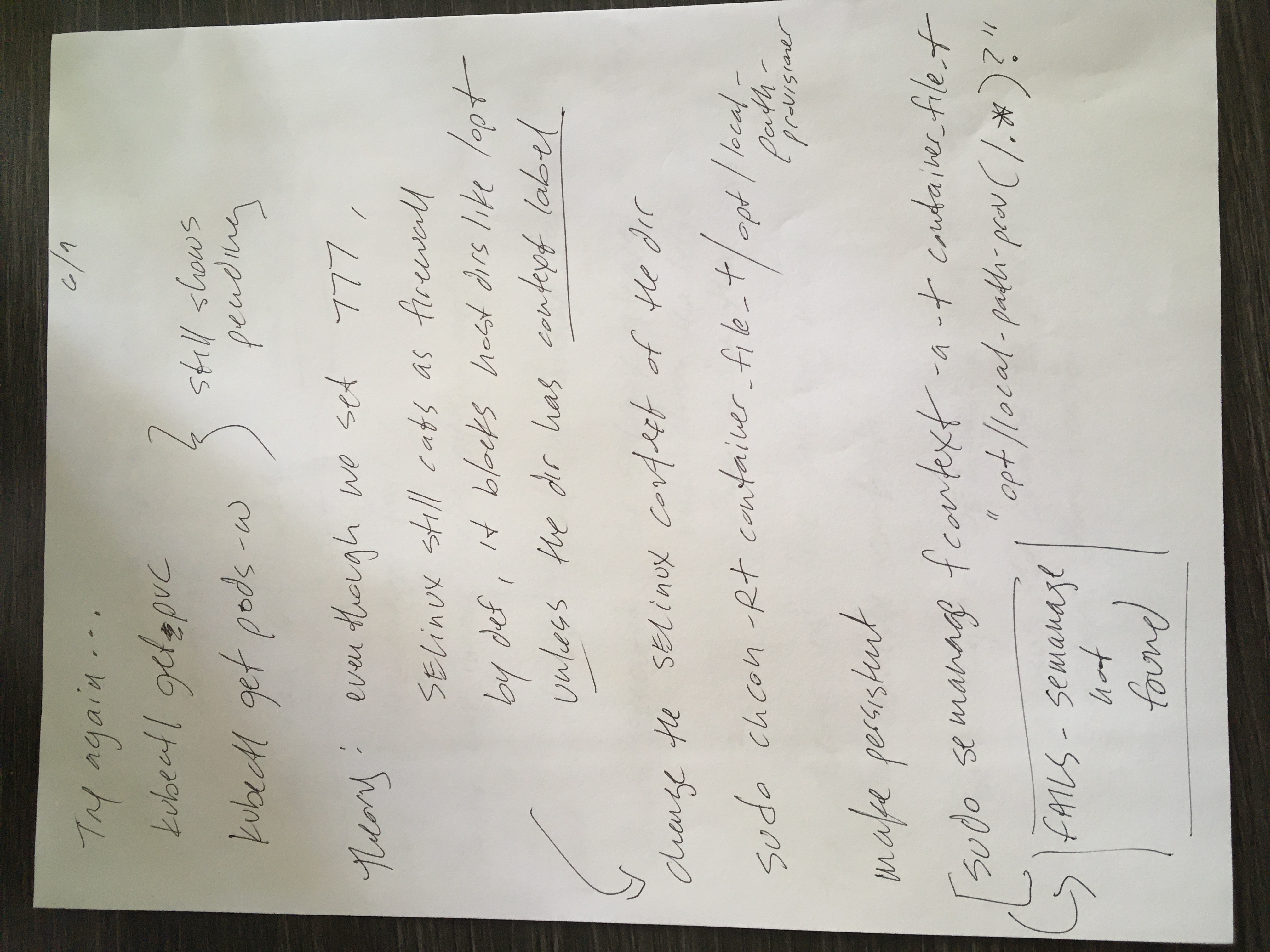
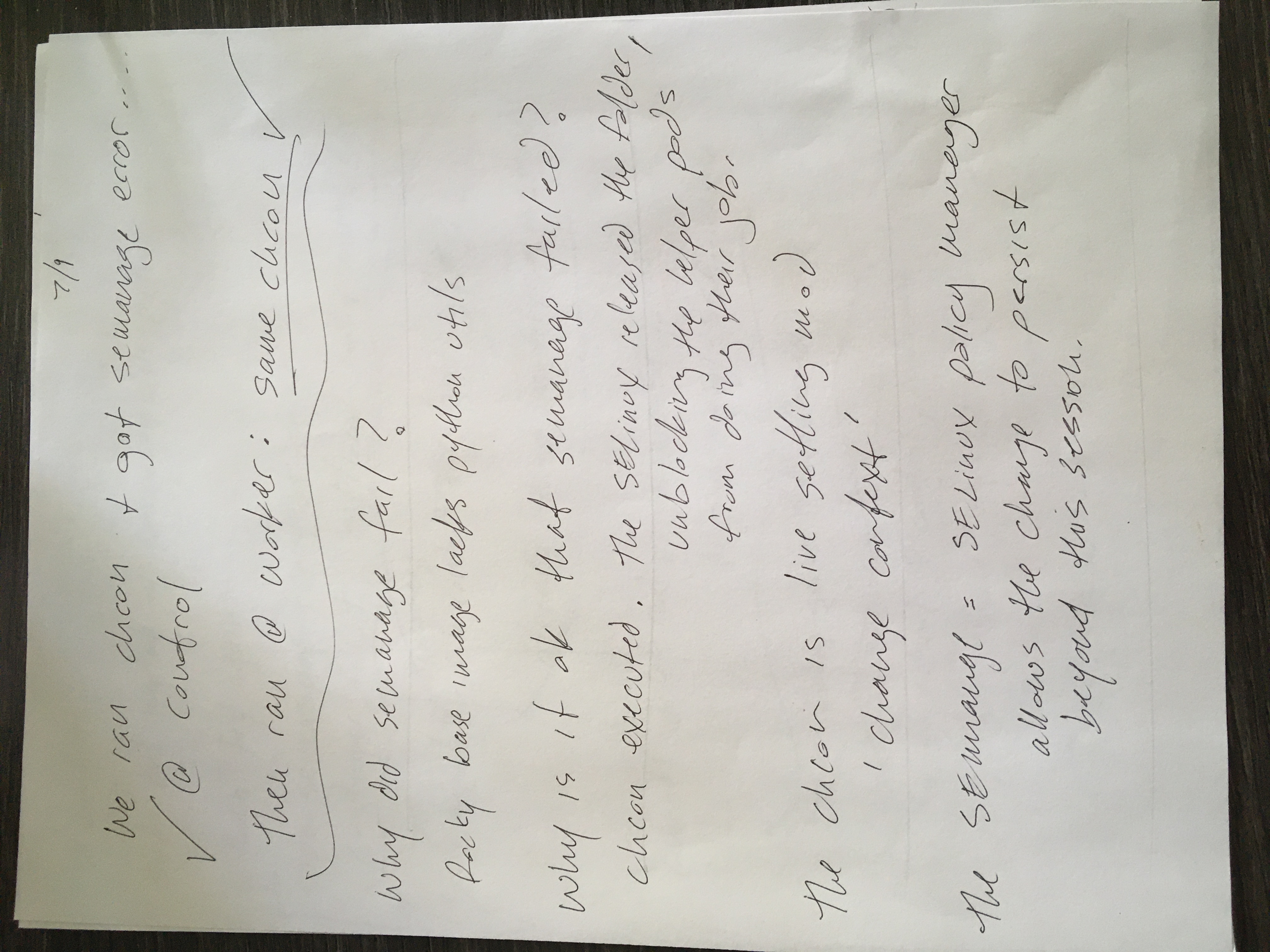
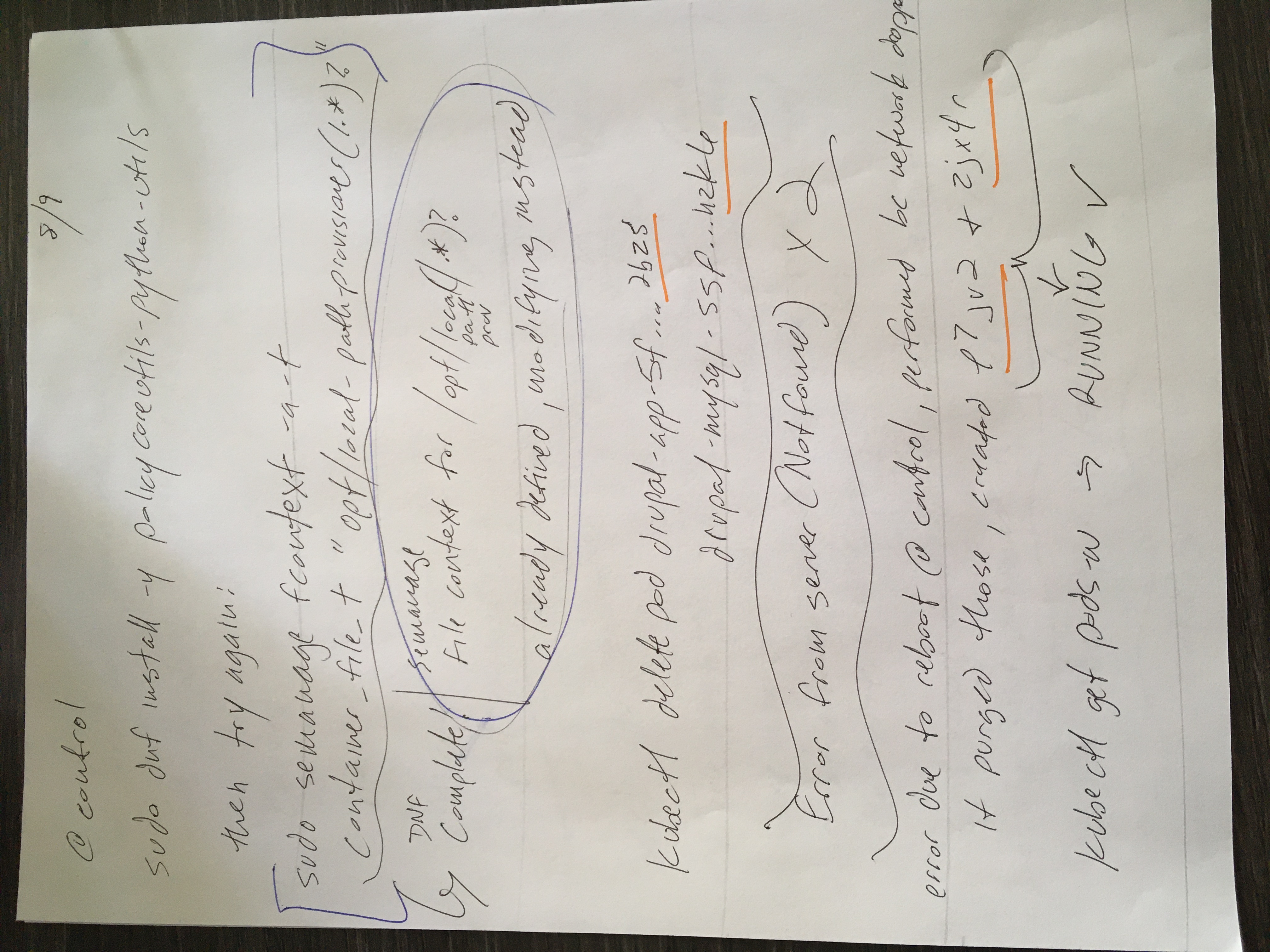
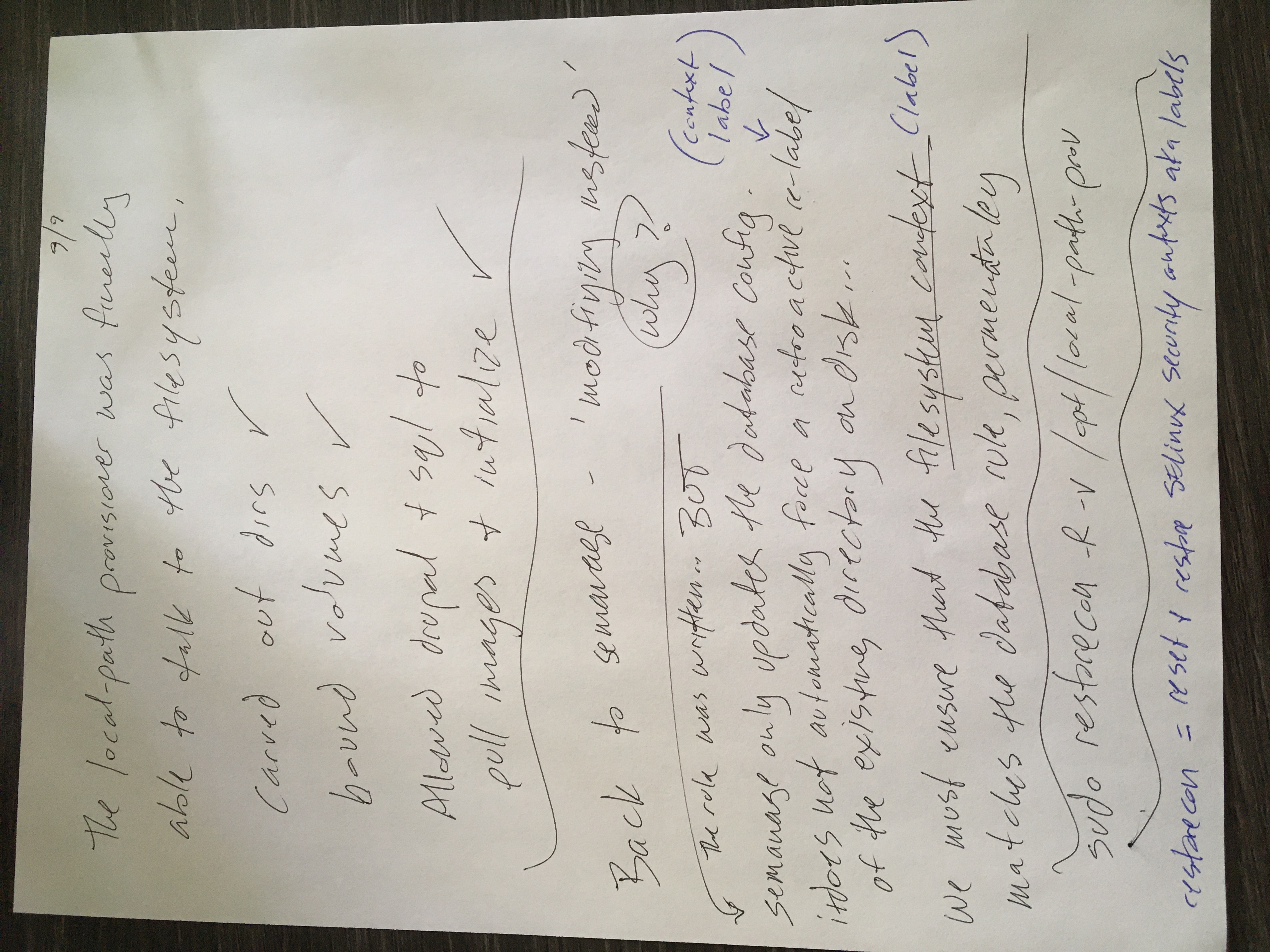
Once the cluster storage engine attempted to mount directories to the host operating system, it collided with Rocky Linux 9's strict, out-of-the-box SELinux (Security-Enhanced Linux) enforcement policies. The OS security engine actively blocked the container workloads from writing structural data out to the physical host storage tree at /opt/local-path-provisioner. To resolve this conflict cleanly without disabling host security parameters globally, the core policy management utilities library (policycoreutils-python-utils) was targeted via the package manager and successfully installed using dnf.
With the administrative utilities present, the system's file context database was updated by executing sudo semanage fcontext -a -t container_file_t "/opt/local-path-provisioner(/.*)?", explicitly declaring that the container virtualization layers possess valid permissions to interact with this directory tree. To apply this database policy change directly to the existing folders on disk, a recursive filesystem restoration command was executed using sudo restorecon -R -v /opt/local-path-provisioner.
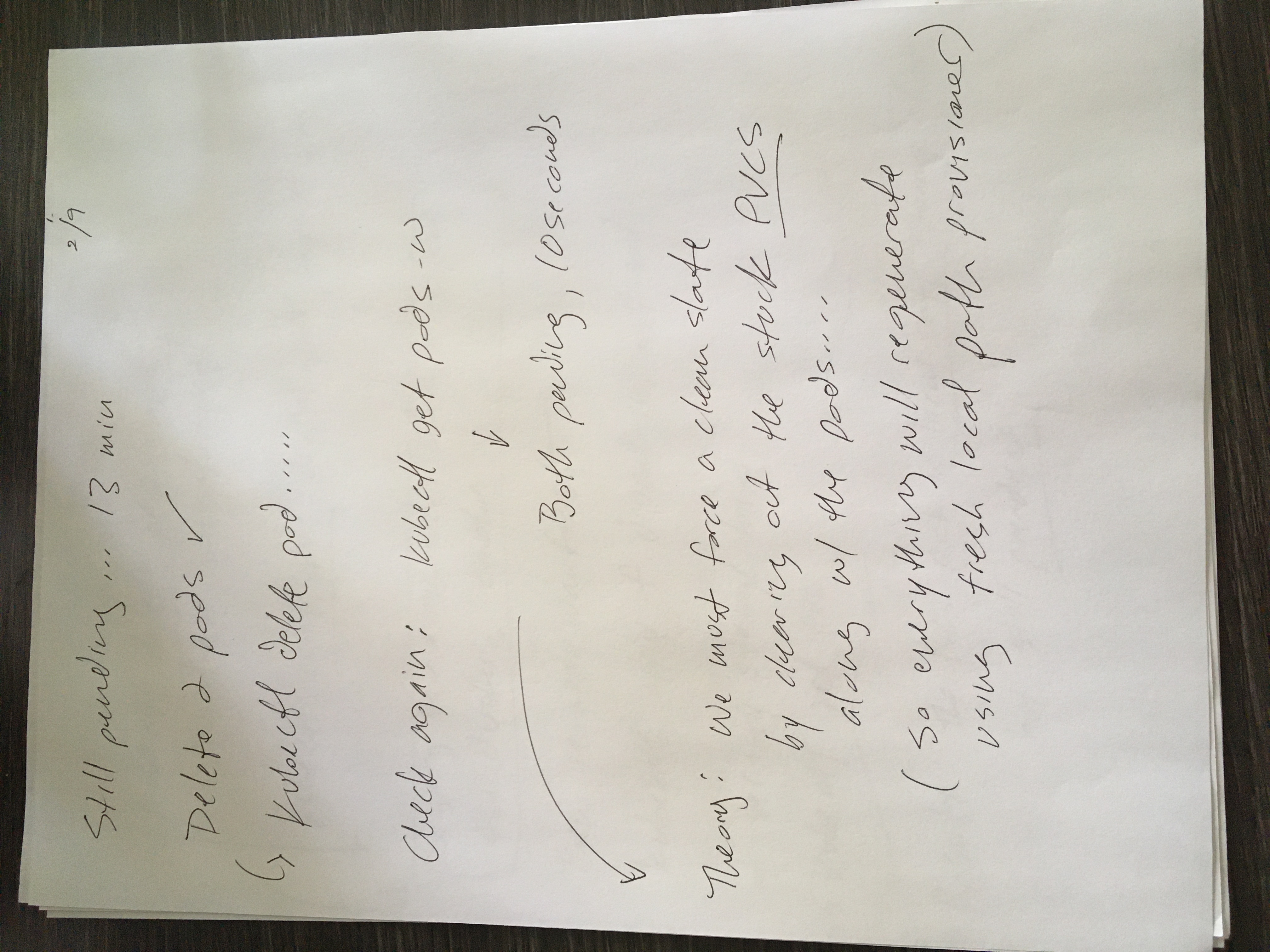
To force the environment to inherit these sequential infrastructure corrections, the stalled pods were manually cleared out of the active runtime memory using kubectl delete pod. The replication controller loop automatically spawned fresh copies of the workloads, which instantly mapped to the newly defined default storage class, bypassed the previous filesystem security restriction, and shifted cleanly into a stable, operational Running state.
With the underlying pod infrastructure running smoothly, database initialization schemas were executed automatically behind the scenes to link the decoupled services. Web browser access was then initiated across the network by mapping to the cluster's NodePort routing layer on port 30080 to interact directly with the graphical user interface (GUI) and finalize the core system installation.

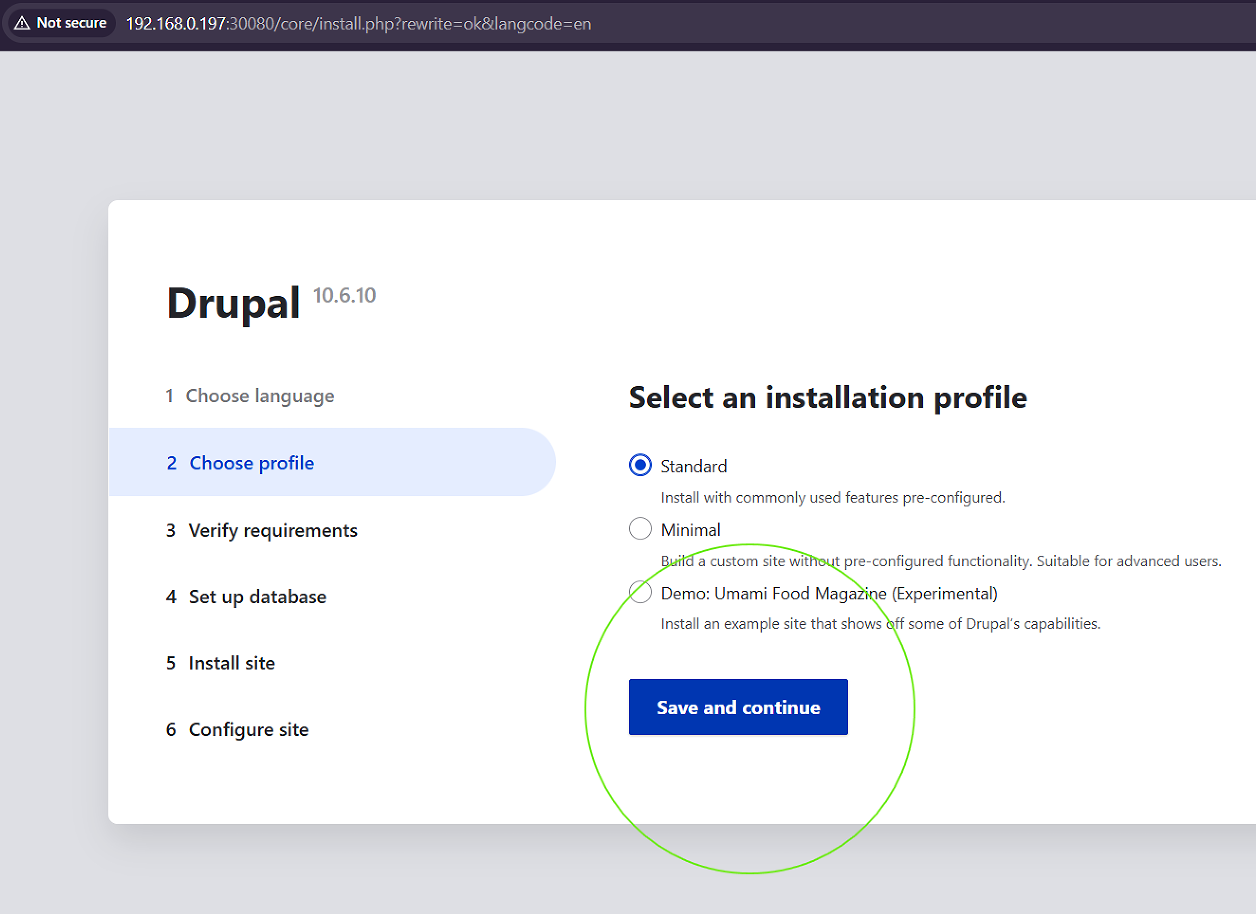
However, the web-based installation wizard immediately intercepted the setup routine by triggering a critical Verify Requirements system warning block. The core initialization process was halted due to missing site configuration blueprint layers within the container deployment. The web server flagged two definitive file omission errors:
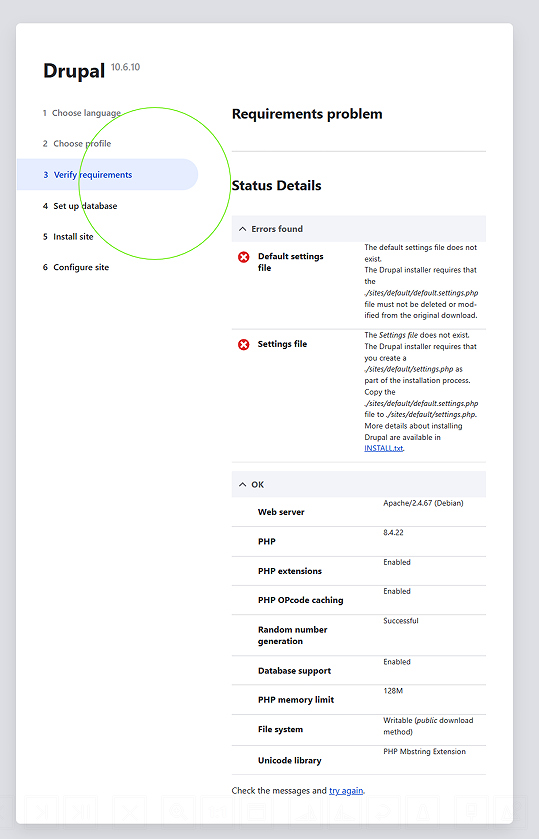
Default settings file: ./sites/default/default.settings.php does not exist.Settings file: ./sites/default/settings.settings.php (or settings.php) does not exist.
To address this verification bottleneck, an interactive remote shell session was forced directly into the live application pod by executing kubectl exec -it drupal-app-5fdc6589d6-p7jv2 -- /bin/bash

Initial directory navigation passes within the container runtime encountered immediate structural differences. While standard Linux web architectures default to a /var/www/html workspace, the official container engine initializes inside an isolated /opt/drupal root directory, nesting its active public assets inside a secondary web/ subdirectory.
Recognizing this internal path discrepancy, the working shell was corrected to target the true underlying application web root, and declarative baseline configurations were generated on the fly using the following targeted command sequence:
# Navigate into the container's true web-root configuration structure
cd web/sites/default

# Generate the empty default site blueprints and primary configuration targets
touch default.settings.php
touch settings.php

# Assign read-write filesystem authorization flags to the web server process (www-data)
chmod 666 default.settings.php settings.php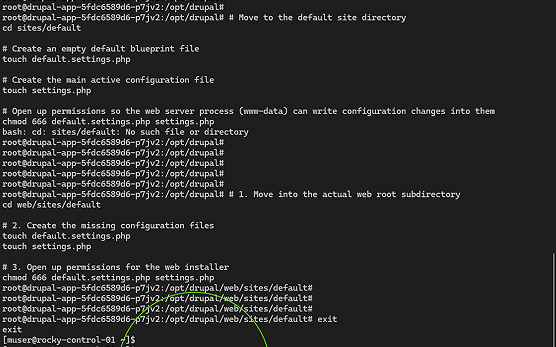
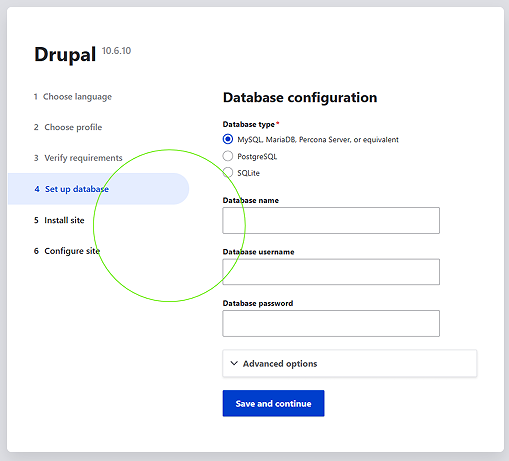
Refreshing the installation interface confirmed that the permission and structural updates successfully satisfied the web server's requirements validation engine. With the file dependencies cleared, the setup utility seamlessly progressed to database configuration mapping.
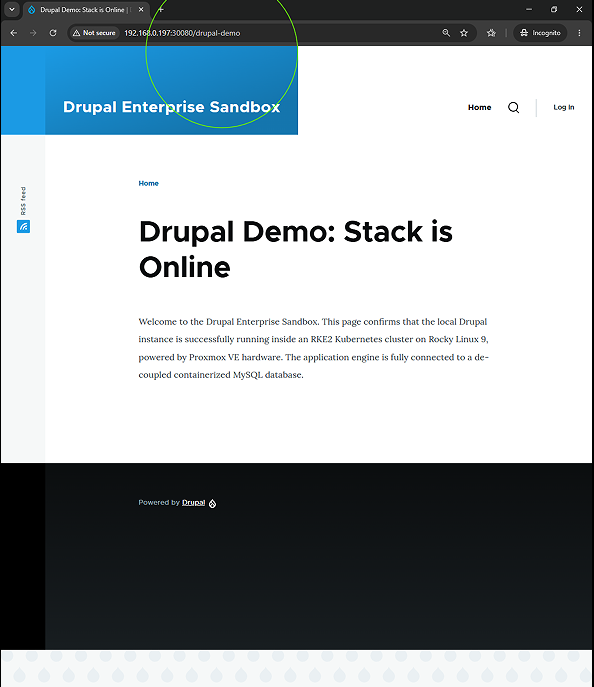
Following the completion of the database initialization pipeline, a pristine Basic Page content node was built out to validate dynamic query execution across the isolated network services. A dedicated web presentation route was mapped and verified at the path /drupal-demo. Accessing this live URL confirmed that the cluster was cleanly fetching dynamic database contents out of the stateful MySQL layer and serving standard-compliant HTML components across the local area network.
With the underlying pod infrastructure running smoothly, database initialization schemas were executed automatically behind the scenes to link the decoupled services. Web browser access was then initiated via 300080 to interact directly with the Drupal graphical user interface (GUI) and complete the primary system setup.
Inside the administrative setup wizard, core configurations were confirmed, and a brand-new Basic Page content entity was built out to test data routing. A dedicated live presentation route was configured and verified at the path /drupal-demo. Accessing this live URL confirmed that the web server compilation environment was cleanly pulling dynamic node data out of the containerized database layer and serving standard-compliant HTML to the local area network.
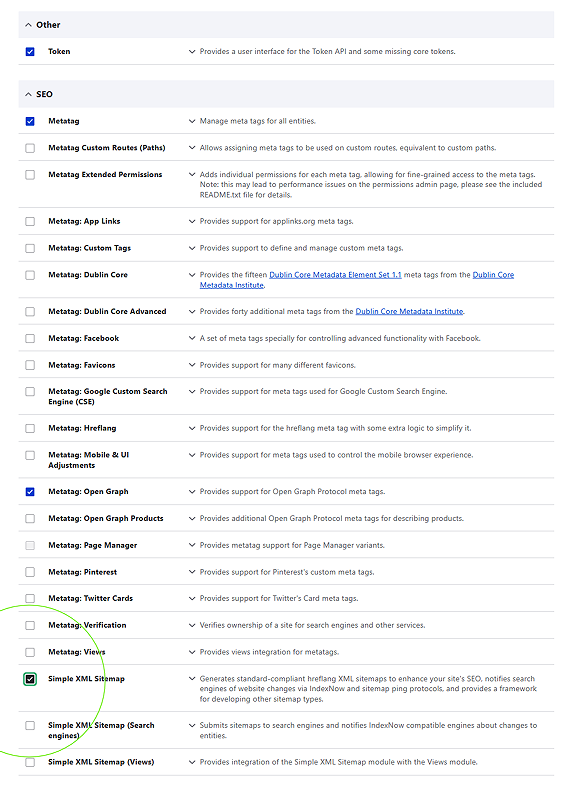
Raw page visibility requires extending the platform beyond out-of-the-box presentation layers. To convert static database nodes into searchable, well-structured assets, the site administration module console was utilized to ingest, verify, and initialize three core extension engines: the Token API, the global Metatag framework, and the Simple XML Sitemap module.
Once these modules were activated, global schema mapping rules were built out for the Basic Page content type. Rather than requiring content creators to manually type out redundant SEO values for every piece of content, the system was configured to intercept database fields automatically using token variables. The global configuration was mapped to dynamically bind the standard HTML <title> element to the [node:title] token, while search snippet fields were automated to pull directly from the truncated [node:summary] string on publication.
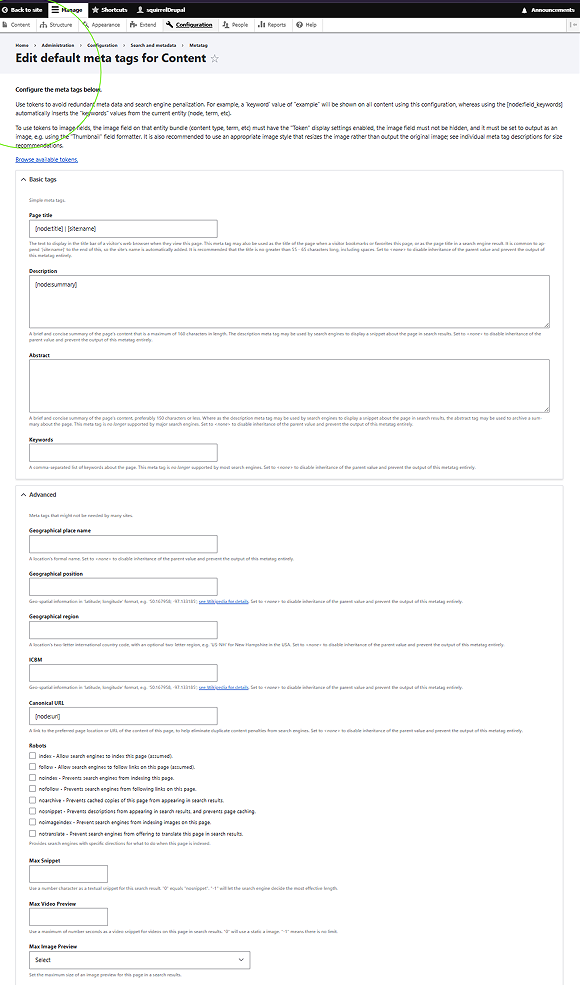
The final phase of the deployment involved validating the raw output layers to ensure search engines could cleanly digest the site's architecture. Looking at the raw HTML source code of the live page confirmed that the Metatag engine was actively rendering valid title values, standard descriptive meta elements, and advanced Open Graph (og:) parameters used by social indexing crawlers.
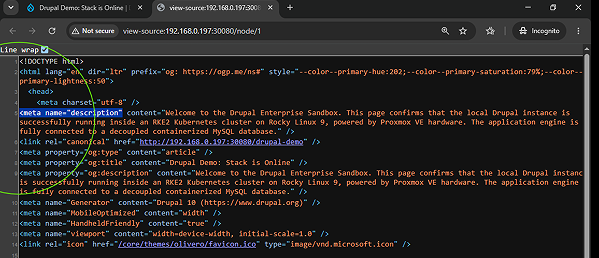
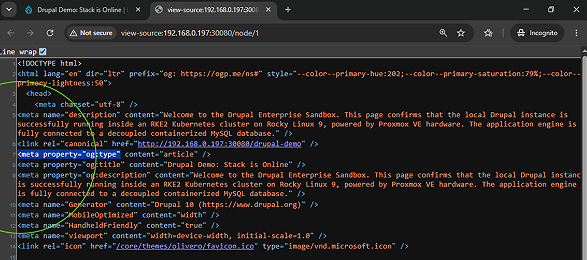
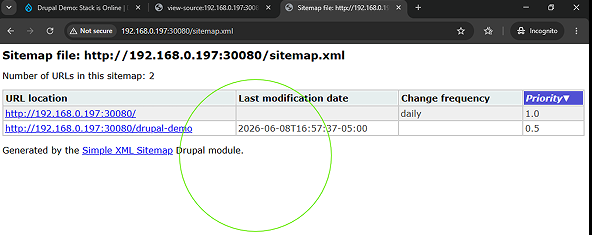
Concurrently, the indexation settings within the sitemap configuration were enabled for all primary site resources. This automatically compiled a clean machine-to-machine data feed at the path /sitemap.xml. Instead of forcing a developer to manually construct and maintain hardcoded layout files, the cluster now uses an automated, self-healing framework. The exact millisecond a new page is published or edited, the backend database hooks dynamically update the XML schema file, optimizing the site's search discovery loop entirely on autopilot.