 squirrelworks
Building an enterprise cloud identity plane requires bridging on-premises Active Directory structures with cloud-native IdP brokers. Here is how we provisioned our Okta developer tenant, established an AD agent integration, and configured delegated authentication.

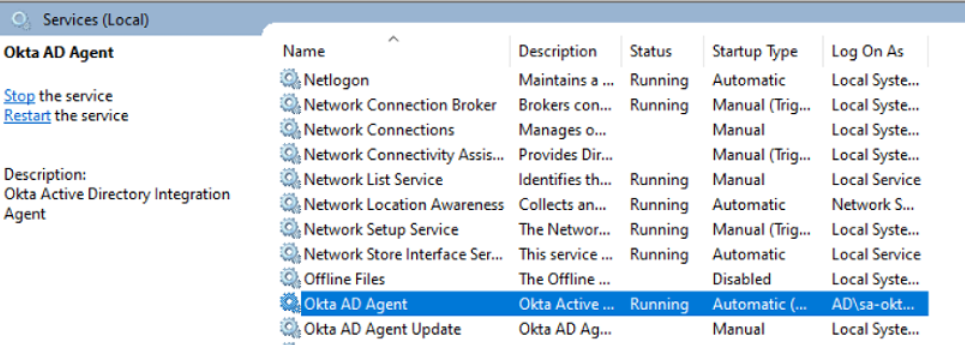
Hybrid synchronization is handled using the lightweight Okta AD Agent. Installed directly on a Windows domain member server, the agent uses outbound HTTPS (port 443) long-polling to communicate with the tenant without requiring inbound firewall openings.
| Pipeline Component | Target Configuration | Operational Mechanics |
|---|---|---|
| Member Server Host | Dedicated Windows Server host joined to local domain. | Executes agent service isolated from DC core components. |
| Service Account Scope | Dedicated local AD domain service account. | Read/Write directory permissions scoped exclusively to targeted user OUs. |
| Import Engine Rules | Attribute mapping matched on UPN / email strings. | Prevents object duplication while mapping on-prem attributes into Okta profiles. |

Because the agent polls Okta via encrypted outbound calls, domain controllers remain protected behind local firewall rules without exposing LDAP or Kerberos endpoints directly to the public Internet.
By enabling Delegated Authentication (DelAuth), password authority remains strictly with our local Active Directory domain controllers. Okta does not store local password hashes in the cloud; instead, login requests are sent down to the AD Agent for real-time evaluation.
To streamline testing while maintaining security guardrails, we configured custom authentication policies within Okta:
We verified the hybrid bridge end-to-end by initiating a clean login sequence with local AD test credentials against the Okta end-user portal. The credentials successfully passed through the agent pipeline, confirming active Delegated Authentication and directory authority.
One of the most frequent operational pitfalls in hybrid identity deployments is initiating a broad, domain-wide directory import. Doing so ingests default domain containers, service accounts, domain admin accounts, and legacy objects directly into the cloud tenant.
To enforce strict Scope Isolation, we explicitly constrained the Okta AD Agent’s target query rules strictly to designated Organizational Units (OUs), isolating production workloads from lab testing targets.
| Directory Target | Sync State | Security & Architectural Rationale |
|---|---|---|
OU=Users |
EXPLICIT INCLUSION | Ingests targeted human identities required for cloud SSO and application entitlement assignment. |
OU=Groups |
EXPLICIT INCLUSION | Synchronizes security groups to drive group-based policy assignment and app access in Okta. |
OU=Service Accounts |
EXCLUDED (ISOLATED) | Prevents non-human service principal credentials and elevated gMSAs from entering cloud scope. |
CN=Users / Built-in |
EXCLUDED (ISOLATED) | Blocks built-in Domain Admins, Krbtgt, and default schema objects from cloud exposure. |
By scoping the agent at the OU level rather than the domain root, you significantly reduce attack surface. Domain-level administrative accounts should never be synchronized to a cloud IdP unless explicitly required for privileged access management (PAM) architecture.
A common misconception when deploying a hybrid Identity Provider is assuming that cloud integration overrides all endpoint authentication. It is critical to differentiate between Application SSO requests brokered by Okta and Native OS Logins handled by Active Directory.
When a user hits an Okta-protected web portal or app:
1. User submits credentials directly to the Okta Cloud Tenant.
2. Okta proxies password validation down to the on-prem AD Agent (`APP1`) via HTTPS.
3. The agent queries `DC1` locally and returns the pass/fail assertion to Okta.
When a user logs directly into a domain-joined PC, Windows desktop, or SSH session:
The OS uses native Kerberos (Port 88) or NTLM protocol flows directly against `DC1`.
Okta is completely bypassed for standard OS logon, unless explicit credential provider agents (e.g., Okta MFA for Windows) are installed on the local endpoint.
Active Directory remains the authoritative password holder. Okta acts as an external identity broker for modern web services—evaluating credentials on demand through the hybrid agent without ever storing Active Directory password hashes in the cloud.
Next in this series: Phase 2: Configuring OIDC App Integrations & Securing Workload Routes →