 squirrelworks
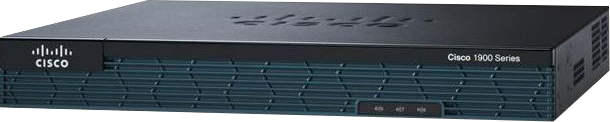

Router#sh run
Building configuration...

Current configuration : 972 bytes
!
version 15.2
service timestamps debug datetime msec
service timestamps log datetime msec
no service password-encryption
!
hostname Router
!
boot-start-marker
boot-end-marker
!
!
!
no aaa new-model
!
ip cef
!
!
!
!
!
!
no ipv6 cef
multilink bundle-name authenticated
!
!
!
license udi pid CISCO1921/K9 sn FTX171384P1
!
!
!
!
!
!
!
!
interface Embedded-Service-Engine0/0
 no ip address
 shutdown
!
interface GigabitEthernet0/0
 no ip address
 shutdown
 duplex auto
 speed auto
!
interface GigabitEthernet0/1
 no ip address
 shutdown
 duplex auto
 speed auto
!
interface Serial0/0/0
 no ip address
 shutdown
!
ip forward-protocol nd
!
no ip http server
no ip http secure-server
!
!
!
!
!
control-plane
!
!
!
line con 0
line aux 0
line 2
 no activation-character
 no exec
 transport preferred none
 transport input all
 transport output pad telnet rlogin lapb-ta mop udptn v120 ssh
 stopbits 1
line vty 0 4
 login
 transport input all
!
scheduler allocate 20000 1000
!
end

Router#
| Network 1 (GE 0/0) | Use 192.168.1.0/24 | Network 2 (GE 0/1) | Use 10.0.0.0/24 |
|---|
Embedded-Service-Engine0/0 is administratively down, line protocol is down
  Internet protocol processing disabled
GigabitEthernet0/0 is administratively down, line protocol is down
  Internet protocol processing disabled
GigabitEthernet0/1 is administratively down, line protocol is down
  Internet protocol processing disabled
Serial0/0/0 is administratively down, line protocol is down
  Internet protocol processing disabled
Router>sh ip int br
Interface                  IP-Address      OK? Method Status             Protocol
Embedded-Service-Engine0/0 unassigned      YES unset  administratively down down
GigabitEthernet0/0         unassigned      YES unset  administratively down down
GigabitEthernet0/1         unassigned      YES unset  administratively down down
Serial0/0/0                unassigned      YES unset  administratively down down
Router>en
Enter configuration commands, one per line. End with CNTL/Z.Router(config)#int g0/0
*Mar 14 23:42:45.322: %LINK-3-UPDOWN: Interface GigabitEthernet0/0, changed state to down
Enter configuration commands, one per line. End with CNTL/Z.Router(config)#int g0/1
*Mar 14 23:47:51.178: %LINK-3-UPDOWN: Interface GigabitEthernet0/1, changed state to down
*Mar 14 23:48:00.386: %LINK-3-UPDOWN: Interface GigabitEthernet0/1, changed state to up
*Mar 14 23:48:01.386: %LINEPROTO-5-UPDOWN: Line protocol on Interface GigabitEthernet0/1,
changed state to up
Codes: L - local, C - connected, S - static, R - RIP, M - mobile, B - BGP
       D - EIGRP, EX - EIGRP external, O - OSPF, IA - OSPF inter area
       N1 - OSPF NSSA external type 1, N2 - OSPF NSSA external type 2
       E1 - OSPF external type 1, E2 - OSPF external type 2
       i - IS-IS, su - IS-IS summary, L1 - IS-IS level-1, L2 - IS-IS level-2
       ia - IS-IS inter area, * - candidate default, U - per-user static route
       o - ODR, P - periodic downloaded static route, H - NHRP, l - LISP
       + - replicated route, % - next hop override

Gateway of last resort is not set

      10.0.0.0/8 is variably subnetted, 2 subnets, 2 masks
C        10.0.0.0/24 is directly connected, GigabitEthernet0/1
L        10.0.0.1/32 is directly connected, GigabitEthernet0/1
      192.168.1.0/24 is variably subnetted, 2 subnets, 2 masks
C        192.168.1.0/24 is directly connected, GigabitEthernet0/0
L        192.168.1.1/32 is directly connected, GigabitEthernet0/0
| Laptop A | IP 192.168.1.10 Gateway 192.168.1.1 |
Laptop B | IP 10.0.0.10 Gateway 10.0.0.1 |
|---|
netsh interface ip set address name="Ethernet" static 192.168.1.10 255.255.255.0 192.168.1.1
netsh interface ip set address name="Ethernet" static 10.0.0.10 255.255.255.0 10.0.0.1